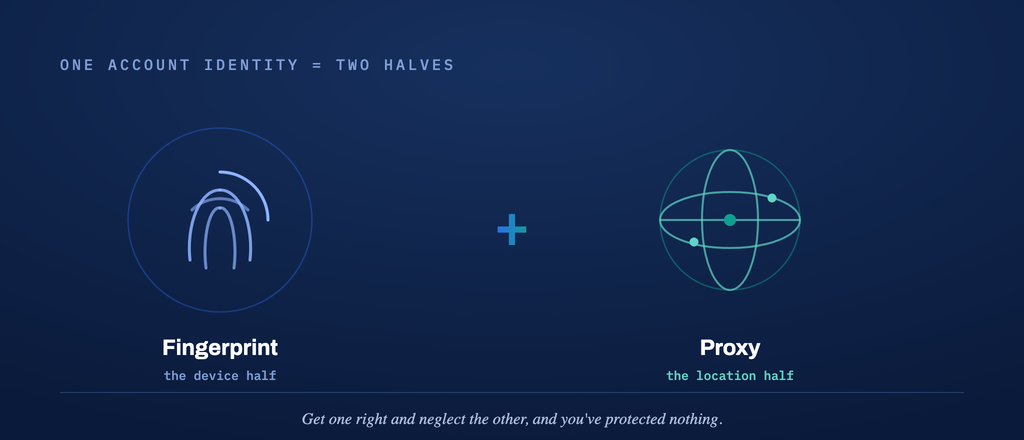
Ask any experienced multi-account operator what gets their profiles banned, and almost nobody says “the fingerprint.” They say “the IP.” A clean, stable browser fingerprint keeps your profiles from looking like clones of each other — but the proxy behind each profile decides whether that identity looks like a real person in a real place, or like a server in a data center that a platform has already seen a thousand times.
In 2026, proxies are no longer the afterthought you bolt on at the end. They’re half of the identity. This guide walks through the proxy types that matter, how to match them to your accounts, and a practical checklist for choosing a provider you won’t regret.
Why the Proxy Is Half of the Identity
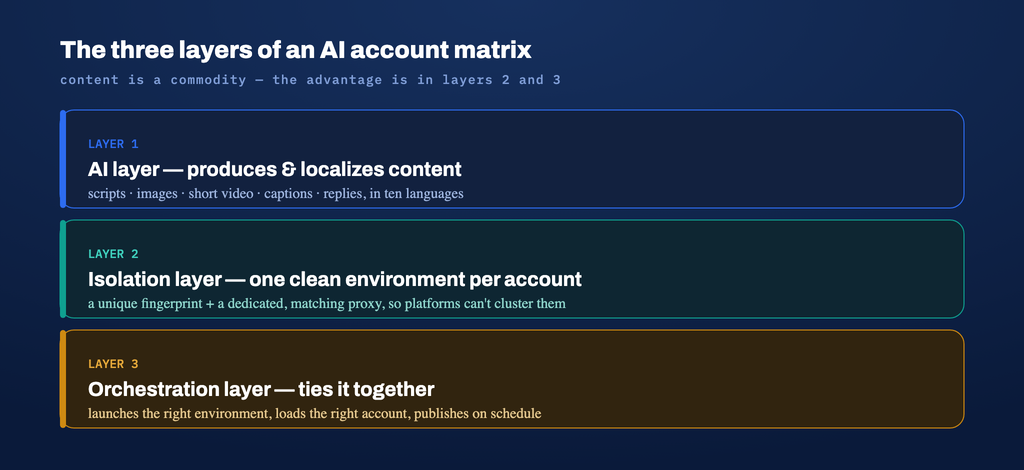
An anti-detect browser like VMLogin gives each account its own isolated environment — unique Canvas, WebGL, WebRTC, fonts, and hardware signals that stay consistent for that profile and differ from every other. That solves the device half of the problem.
But every request that profile makes still leaves your network through an IP address. If ten “different people” all browse from the same datacenter subnet, no fingerprint in the world will save them — the platform clusters them by network long before it looks at anything else. The proxy is what makes each isolated profile also originate from a believable, independent location. Fingerprint and proxy are two halves of one identity; get one right and neglect the other, and you’ve protected nothing.
The Four Proxy Types — and What Each Is Actually For
Proxies get marketed with a lot of noise. Functionally, there are four types worth knowing:
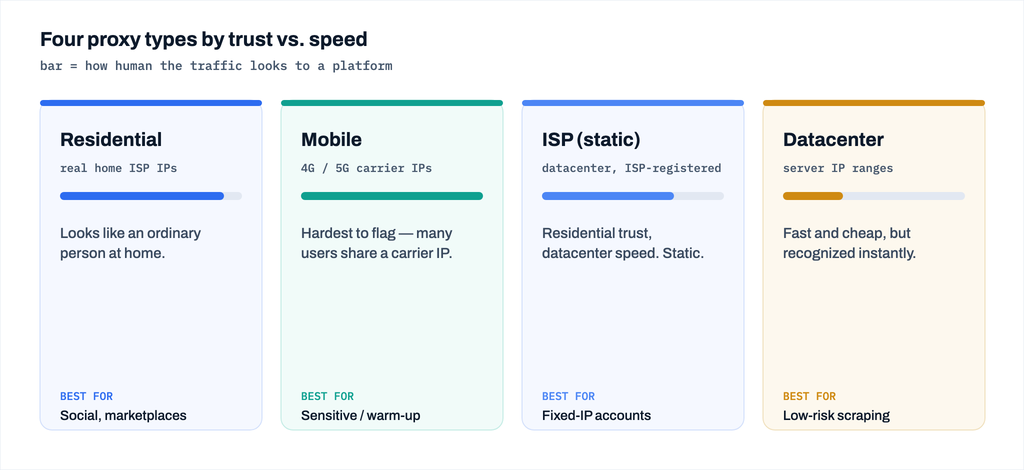
- Residential proxies route through real consumer devices on real ISP connections. To a platform, the traffic looks like an ordinary person at home. The default for social media, marketplaces, and any account meant to be a normal individual.
- Mobile proxies route through real 4G/5G carrier IPs. Because many real users share a single carrier IP (CGNAT), these are the hardest to flag — ideal for the most sensitive platforms and for warming up new accounts.
- ISP (static residential) proxies are hosted in data centers but registered under a consumer ISP: residential trust with datacenter speed and stability, and the address doesn’t rotate. Best for accounts that must keep a fixed IP.
- Datacenter proxies are fast and cheap but come from ranges platforms recognize instantly. Fine for low-risk scraping or testing; a poor choice for any account that needs to look human.
The mistake most operators make is buying one type for everything. A mature operation mixes them by risk level.
Matching the Proxy to the Account
The right proxy depends on what the account has to survive:
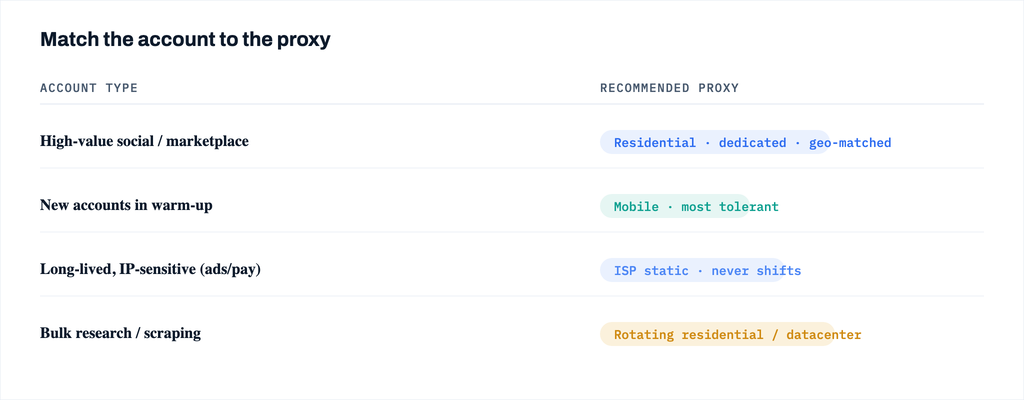
- High-value social / marketplace accounts: residential or mobile, one dedicated IP per account, matched to the account’s stated region.
- New accounts in warm-up: mobile proxies buy the most tolerance while the account has no history.
- Long-lived accounts that dislike IP changes (some ad and payment platforms): static ISP proxies, so the address never shifts under them.
- Bulk research and scraping: rotating residential or datacenter, depending on how aggressively the target blocks.
The single rule that ties it together: one account, one dedicated IP, one matching region. The moment you share an IP across profiles — or let an account’s location jump between countries — you’ve reconnected identities your fingerprint worked to separate.
A Buyer’s Checklist for 2026
Providers all claim “millions of clean IPs.” Here’s what actually separates them:
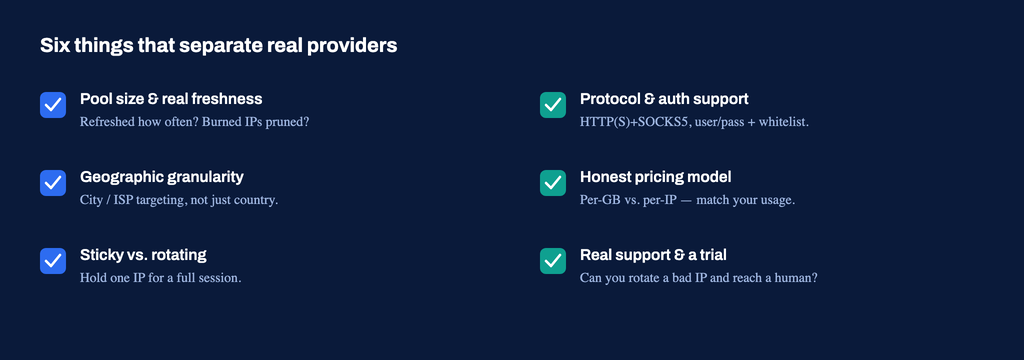
- Pool size and real freshness. A large pool means little if it’s recycled and already burned. Ask how often IPs are refreshed and whether abused addresses are pruned.
- Geographic granularity. Country-level isn’t enough. Can you target a city or a specific ISP? Regional mismatch is a common, avoidable ban trigger.
- Sticky vs. rotating sessions. For account work you need sticky sessions — the same IP for the length of a login — not an address that rotates mid-task.
- Protocol and auth support. HTTP(S) and SOCKS5, plus user/password and IP-whitelist authentication, so the proxy drops cleanly into your browser and your automation scripts.
- Honest pricing model. Per-GB pricing punishes heavy sessions; per-IP or unmetered plans suit steady account work. Match the billing model to how you actually use it.
- Real support and a trial. You will hit a bad IP eventually. What matters is whether you can rotate it and reach a human. Test support responsiveness before you commit volume.
Among providers worth evaluating on these criteria are established names like Bright Data, Oxylabs, and IPRoyal, as well as newer specialists such as RoamProxy, which focuses on clean residential and mobile pools aimed at multi-account use. Shortlist two or three, run the same trial workload through each, and let the results — not the marketing — decide.
Wiring the Proxy Into Your Anti-Detect Browser
Once you’ve chosen a provider, the setup inside the browser is where it pays off. In VMLogin, each profile carries its own proxy configuration, so the IP is bound to the identity rather than to your machine:
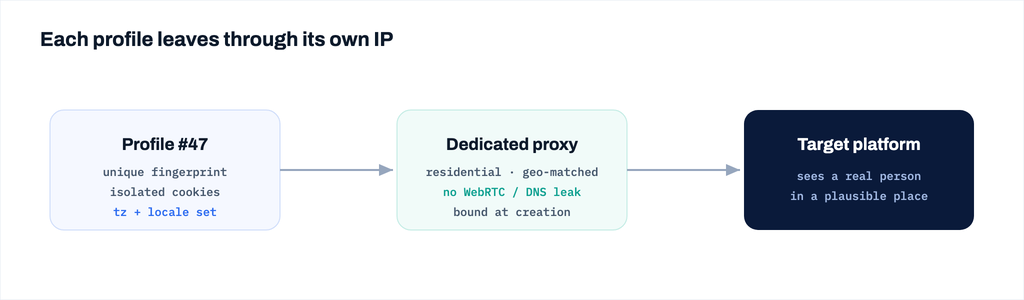
- Assign a dedicated proxy per profile — paste the host, port, and credentials into that profile’s proxy settings, or import them in bulk.
- Match the fingerprint’s timezone, locale, and WebRTC behavior to the proxy’s real location. A US IP paired with a Moscow timezone is a contradiction platforms look for.
- Verify before you operate. Open the profile, check the detected IP and geolocation, and confirm there’s no WebRTC or DNS leak exposing your real address.
- For automated matrices, bind each proxy at profile-creation time via the local API, so environment and IP are provisioned together instead of patched in later.
Done properly, each profile now looks like a distinct device on a distinct home or mobile connection in a plausible location — which is exactly what a real user looks like.
Bringing It Together
Fingerprints and proxies are not two features; they’re two halves of one identity. An anti-detect browser isolates the device signals; the proxy makes each identity originate from a believable place. Choose proxy types by risk level, match each account to a dedicated, region-appropriate IP, and vet providers on freshness, geo-granularity, sticky sessions, and honest support — not on headline pool sizes. Get both halves right, and your accounts stop looking like a cluster and start looking like people.