Get random UserAgent by specifying OS and kernel version using API interface:
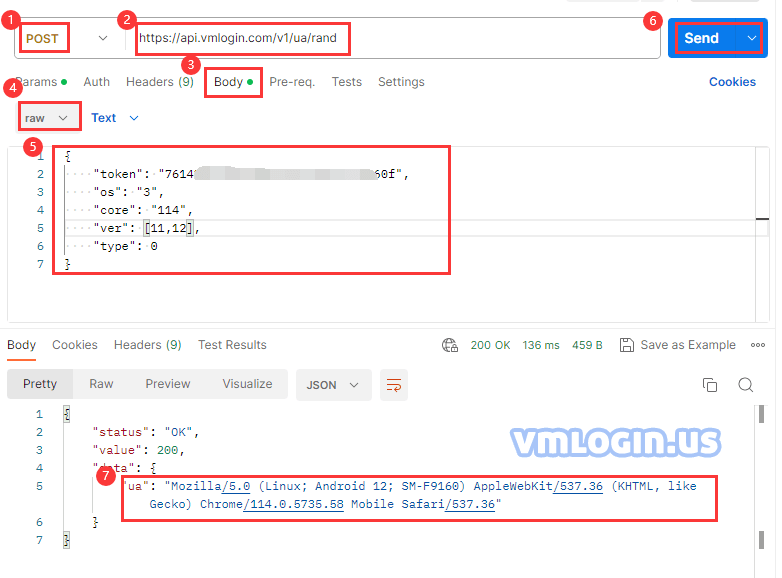
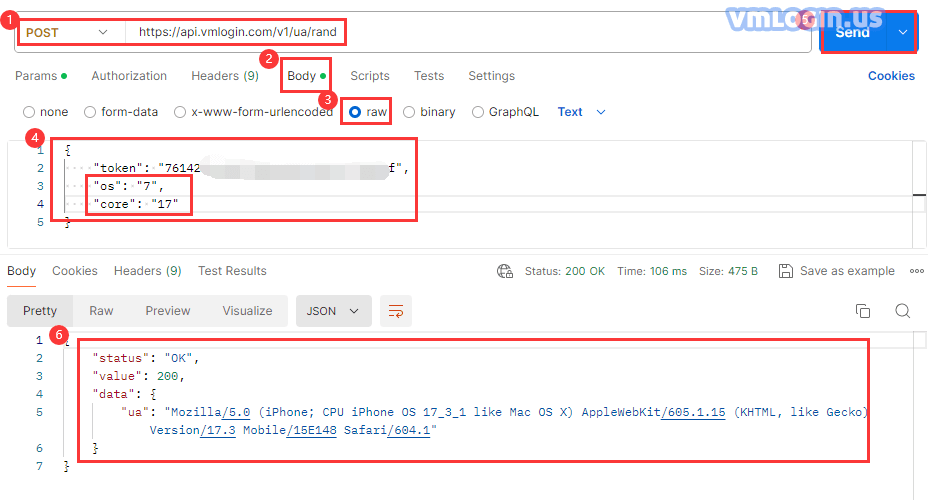
1. Request Url:
https://api.vmlogin.com/v1/ua/randRequest Type: POST
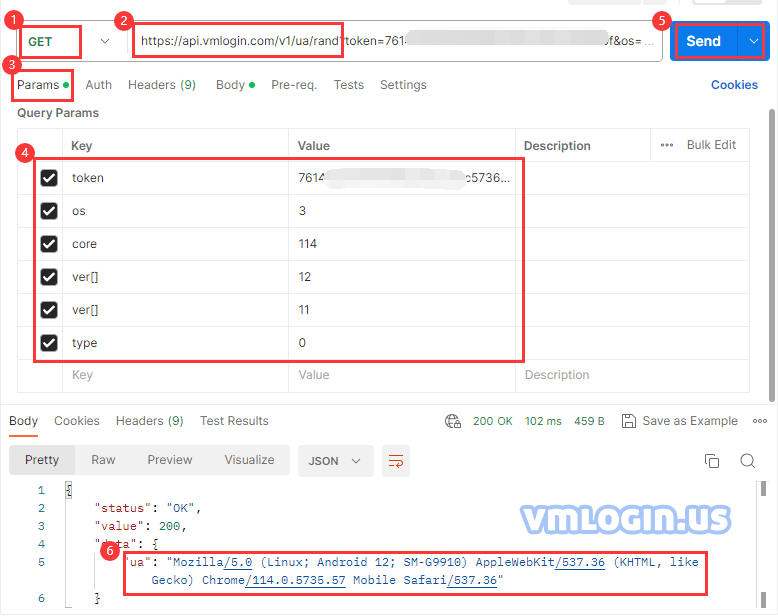
2. Request Url:
https://api.vmlogin.com/v1/ua/rand?token=xxxxxxxxxxxxxxxxxxxxxxxxxxxxxxxx&os=xx&core=xxx&ver[]=xx&ver[]=xx&type=xRequest Type: GET
| Name | Type | Description | required |
| token | string | Authentication token | true |
| os | string | Windows: "0" Mac: "1" Linux: "2" Android: "3" ios: "4"Firefox: "5" Edge: "6" Iphone Safari: "7" | true |
| core | string | Specify Chrome UA-Core random, example: "114"Specify Firefox UA-Core random, example: "132"Specify Iphone Safari version random, example "17", support [17,16,…,13,12] | false |
| ver | array | Specify os version: Windows: [11,10,6] Mac: [15, 14, …, 10]Android: [15,14,...,10] IOS: [18,17,16,15] | false |
| type | string | os=3, select Android: Mobile = "0", Pad = "1"os=5, select Firefox: Windows = "0", Mac = "1" | false |
Response
{
    "status": "OK",
    "value": 200,
    "data": {
        "ua": "Mozilla/5.0 (Linux; Android 12; SM-G996U) AppleWebKit/537.36 (KHTML, like Gecko) Chrome/114.0.5735.57 Mobile Safari/537.36"
    }
}
Note:
For token, please refer to the "View/Change the API Token" tutorial.
POST :
GET :