1. Open TalorData
Open the TalorData website and log in to your account.
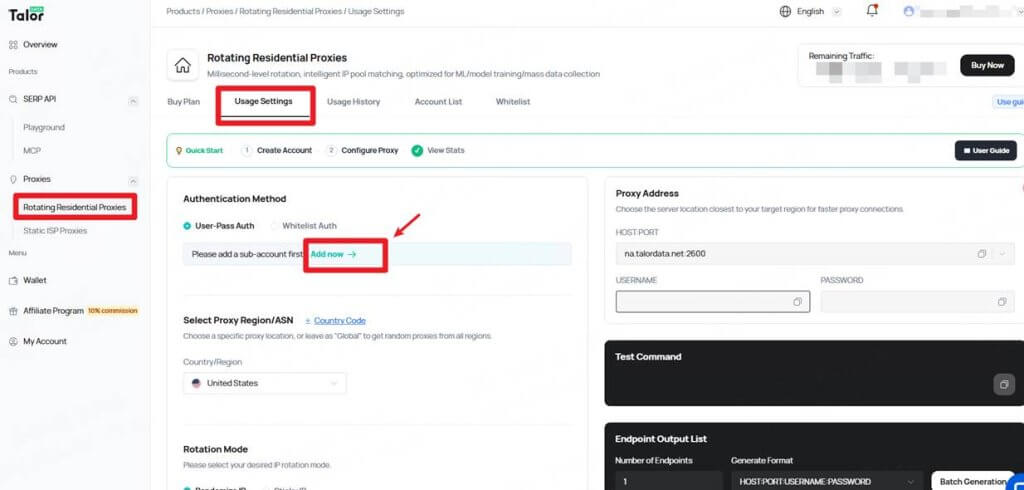
Go to Proxies → Rotating Residential Proxies and open the Usage Settings page.
2. Create a Sub-Account
Under Authentication Method, select User-Pass Auth.
If you have not created a sub-account yet, click Add now and create one.
Your sub-account credentials will be used to authenticate the proxy connection.
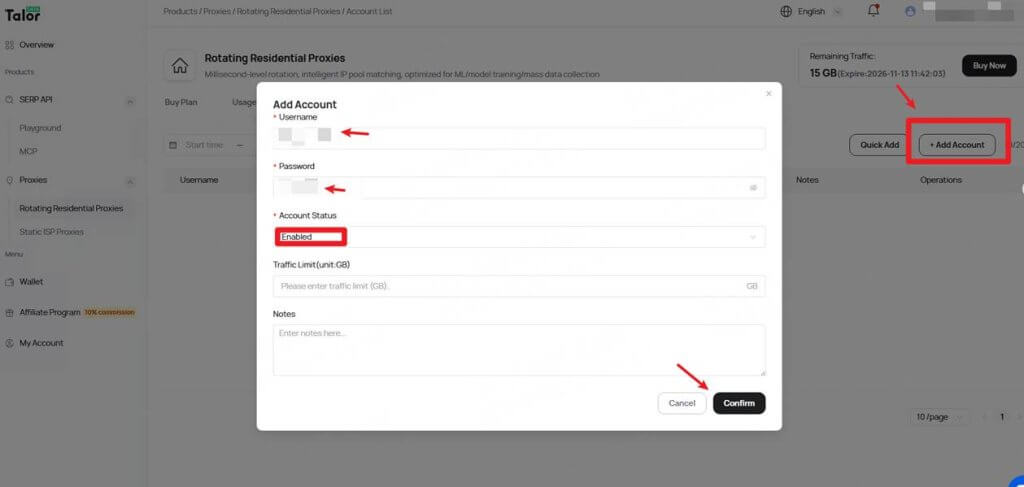
Note: TalorData supports both User-Pass Auth and Whitelist Auth. This guide uses User-Pass Auth.
3. Configure Your Proxy
Under Select Proxy Region/ASN, choose the country or region where you want your proxy IP to be located.
You can select Global to obtain IPs from different regions.
Under Rotation Mode, choose the IP rotation method:
- Randomize IP — Automatically rotates to a different IP.
- Sticky IP — Keeps the same IP for the selected session duration.
The selected proxy settings will be reflected in the Proxy Address section on the right.
Copy the following information:
- Host
- Port
- Username
- Password
For example:
Host: pr.talordata.netPort: 2600Username: Your usernamePassword: Your password4. Configure the Proxy in VMLogin
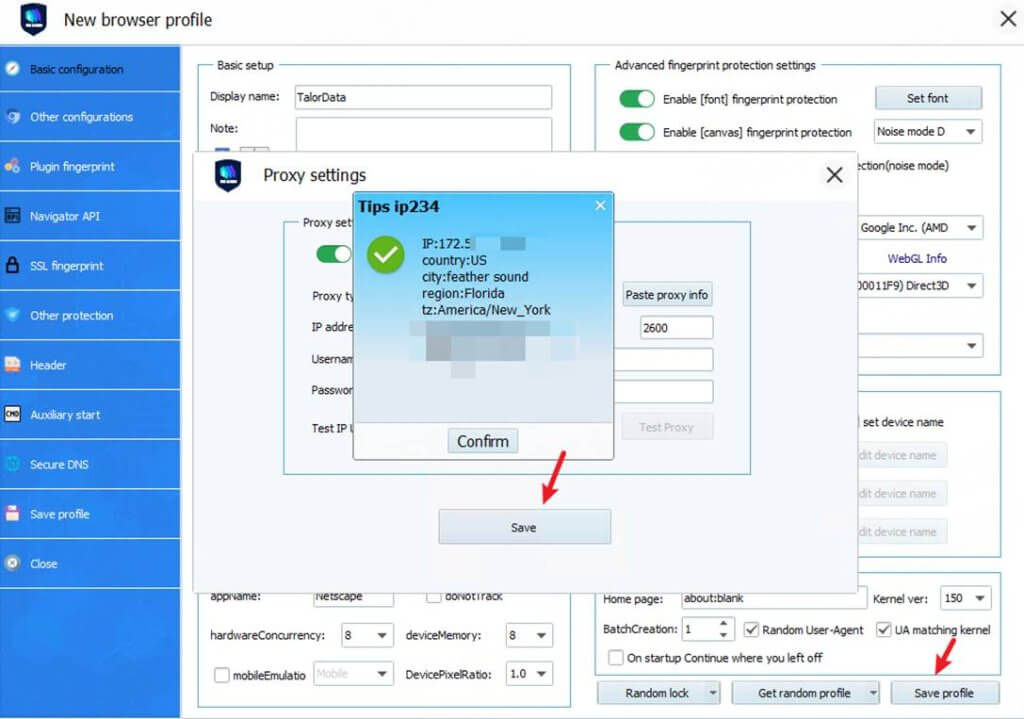
Open your VMLogin browser profile and click Setting proxy server(3-day Free Trial).
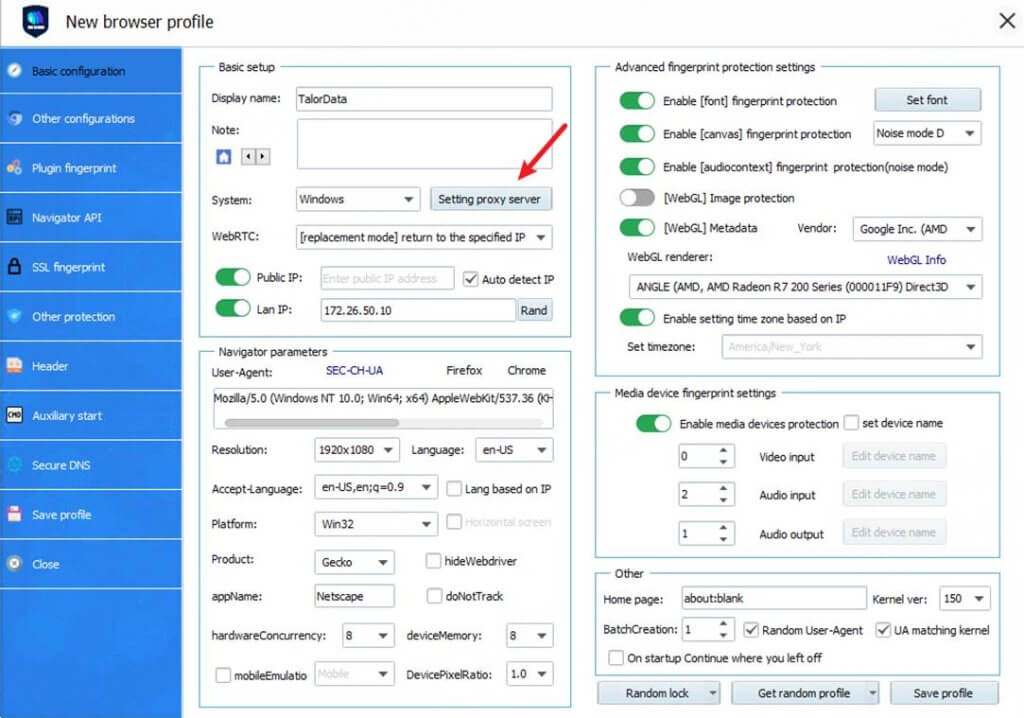
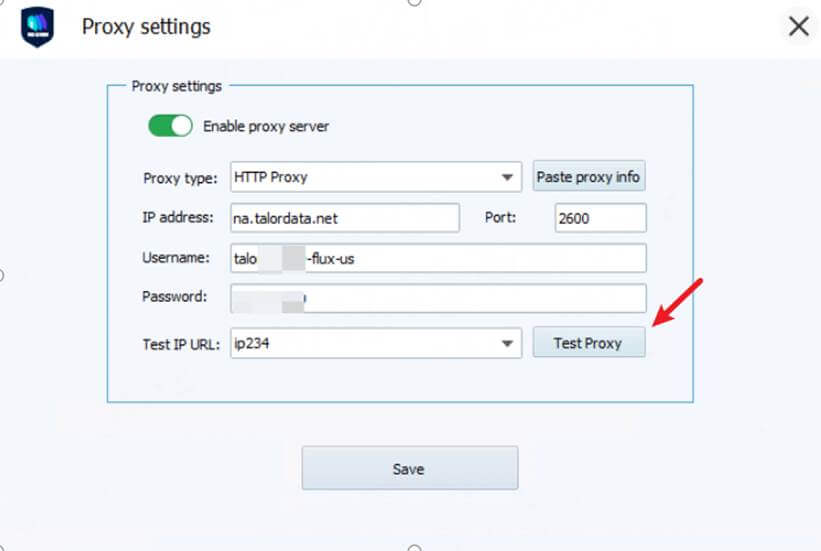
Select:
HTTP
Enter the TalorData proxy credentials:
- IP Address: XX
.talordata.net - Port:
2600 - Username: Your TalorData username
- Password: Your TalorData password
Click Test Proxy to test the connection.
If the test is successful, click Save.
5. Test the Proxy
After saving the proxy settings, open the VMLogin browser profile.
Visit an IP-checking website to verify that the proxy is working correctly.
The displayed IP address should correspond to the country or region selected in your TalorData proxy settings.
Note: VMLogin browser has no proxy IP service, users need to purchase proxy IP from a third party. Proxy-related tutorials are provided by third-party platforms and unrelated to the VMLogin. Users are strictly prohibited from using VMLogin to engage in any illegal and criminal activities, and users are respon