Step 1 – Navigate and set up your Proxy.luxe account.
1. Register at Proxy.luxe.
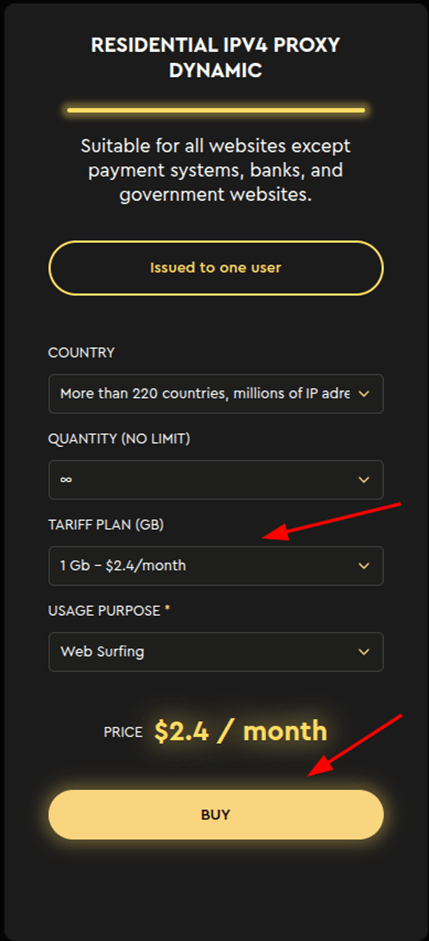
2. After registering, top up your balance using your preferred method and go to dashboard. Next, select a plan and click the "Buy" button.
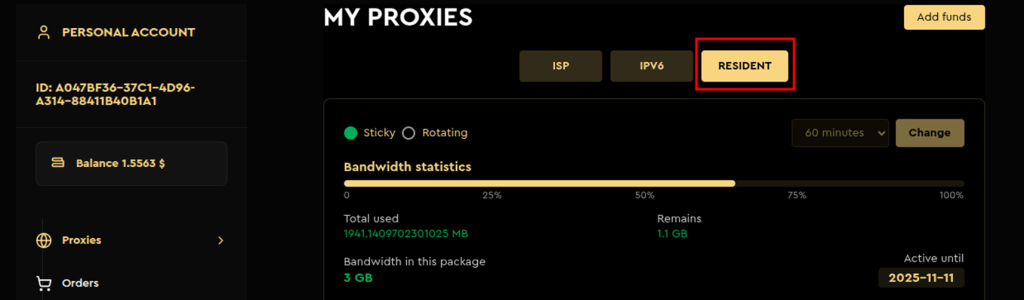
3. Next, go to your personal account and select the RESIDENT tab.
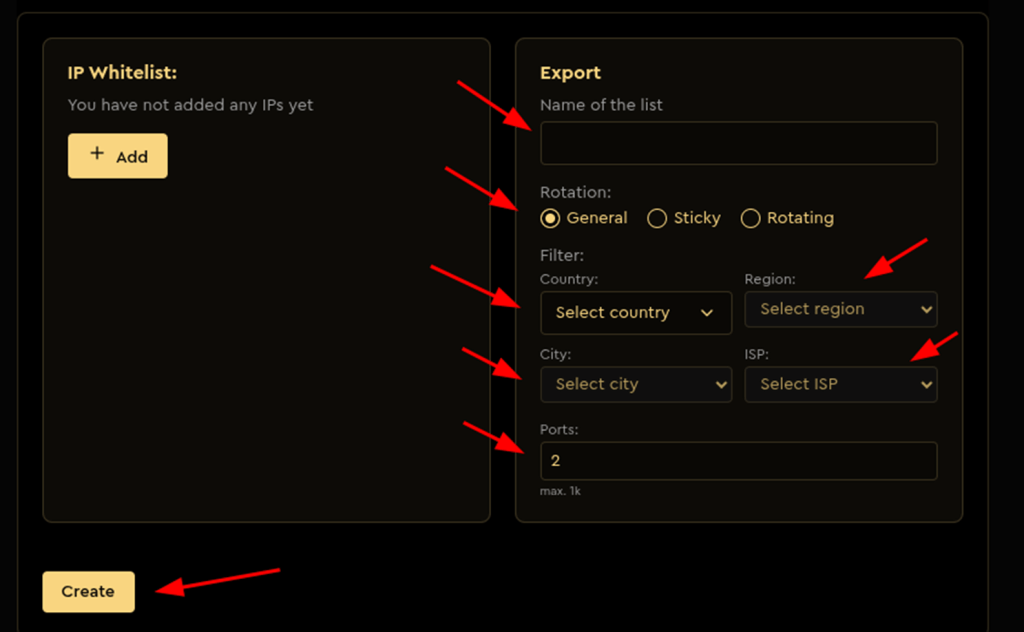
4. Fill in all the fields. Select a rotation. General—changes the IP address for each request. Permanent or rotating. Enter a list name, select the country, region, city, and provider.
Number of ports—the number of proxies to be created. Click the Create button.
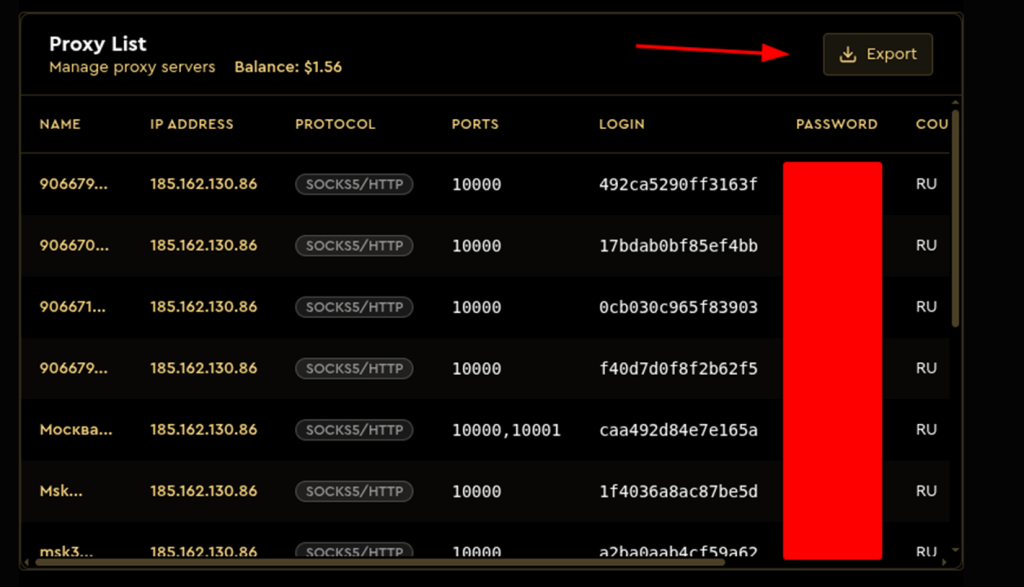
5. If the proxy was not created, please specify another provider.
After this, you can download the list in the format you need by clicking the export button.
Step 2 – Add Proxy to VMLogin
1. Download and install VMLogin (Support 3-day Free Trial).
2. Launch the VMLogin client and log in to your account.

3. Create a New Browser Profile and Set the Proxy IP.

4. Paste Proxy in VMLogin and Test.
- First, toggle Enable the proxy server to ON.
- Then, click "Paste proxy info" – VMLogin will automatically fill in the IP, port, username, and password.
- In the Test IP URL field, enter
ip-api.com. - Click Test Proxy to verify the connection.

5. If the proxy is set up correctly, you'll see a success message with the new IP and location. Click "Confirm" and then "Save" to store the settings.

6. Save the Profile.

Your new profile with proxy integration is now ready.
7. Launch the Profile.

This will launch a new browser instance using the custom fingerprint and proxy you've set.
Note: VMLogin browser software itself has no proxy IP service, users need to purchase proxy IP from a third party. Proxy-related tutorials are provided by third-party platforms and unrelated to the VMLogin. Users are strictly prohibited from using VMLogin to engage in any illegal and criminal activities, and users are responsible for the relevant responsibilities caused by using VMLogin.